CockroachDB TIL: Volume 4

This is a new series of articles covering short "Today I learned" topics as I peel the layers on CockroachDB. This is meant to resemble release notes. I decided to mix it up with the format for these posts as they may not justify an entire blog.
Previous articles
Topics
Topic 1 Reset network and execution statistics in CLI
This topic will cover what trivial misconfigurations may lead to if you don't keep client and server versions uniform. These mismatched versions may lead to unforseen consequences. This is one of those situations where a user reported missing info from their CLI. In this case, they were missing execution and network latency which we conveniently output after every query
artem@free-tier.gcp-us-central1.cockroachlabs.cloud:26257/defaultdb> select * from results limit 1;
                   id                  |   city    |  type   |               owner_id               |    creation_time    | status |   current_location    |       ext
---------------------------------------+-----------+---------+--------------------------------------+---------------------+--------+-----------------------+-------------------
  aaaaaaaa-aaaa-4800-8000-00000000000a | amsterdam | scooter | c28f5c28-f5c2-4000-8000-000000000026 | 2019-01-02 03:04:05 | in_use | 62609 Stephanie Route | {"color": "red"}
(1 row)

Time: 49ms total (execution 2ms / network 48ms)
Specifically, the last line of the output above.
So in my case the timing is there so if you encounter a situation where it is missing, you have two options available to you to get this back. 1. Make sure your versions match and 2. control the setting with \set show_server_times option.
You can set it on with \set show_server_times and off with \unset show_server_times
artem@free-tier.gcp-us-central1.cockroachlabs.cloud:26257/defaultdb> \unset show_server_times
artem@free-tier.gcp-us-central1.cockroachlabs.cloud:26257/defaultdb> select * from results limit 1;
                   id                  |   city    |  type   |               owner_id               |    creation_time    | status |   current_location    |       ext
---------------------------------------+-----------+---------+--------------------------------------+---------------------+--------+-----------------------+-------------------
  aaaaaaaa-aaaa-4800-8000-00000000000a | amsterdam | scooter | c28f5c28-f5c2-4000-8000-000000000026 | 2019-01-02 03:04:05 | in_use | 62609 Stephanie Route | {"color": "red"}
(1 row)

Time: 51ms

artem@free-tier.gcp-us-central1.cockroachlabs.cloud:26257/defaultdb>
Here's what you want to look out for when you match your client and server versions
# Server version: CockroachDB CCL v21.1.9 (x86_64-apple-darwin19, built 2021/09/20 21:50:33, go1.15.14) (same version as client)
This is what you would see if versions mismatched
# Client version: CockroachDB CCL v21.1.9 (x86_64-apple-darwin19, built 2021/09/20 21:50:33, go1.15.14)
# Server version: CockroachDB CCL v21.1.7 (x86_64-unknown-linux-gnu, built 2021/08/09 17:55:28, go1.15.14)

warning: server version older than client! proceed with caution; some features may not be available.
Topic 2 Access CockroachDB in a Read Only mode
Consider situations when you are using a production system and you get anxiety that you will issue a command that will jeapordize your database. There is an option to access your cluster in a read only mode! It is in line with the Postgresql parameter with the same name.
The option is called set default_transaction_read_only = true;.
artem@free-tier.gcp-us-central1.cockroachlabs.cloud:26257/defaultdb> create table test (key int);
ERROR: cannot execute CREATE TABLE in a read-only transaction
SQLSTATE: 25006
Only read only operation are allowed and schema change operation will be denied. So no more accidental TRUNCATE!
artem@free-tier.gcp-us-central1.cockroachlabs.cloud:26257/defaultdb> truncate table results;
ERROR: cannot execute TRUNCATE in a read-only transaction
SQLSTATE: 25006
You may continue reading from the table as usual
artem@free-tier.gcp-us-central1.cockroachlabs.cloud:26257/defaultdb> SELECT * FROM results limit 10;
                   id                  |    city     |    type    |               owner_id               |    creation_time    |  status   |        current_location        |                   ext
---------------------------------------+-------------+------------+--------------------------------------+---------------------+-----------+--------------------------------+------------------------------------------
  aaaaaaaa-aaaa-4800-8000-00000000000a | amsterdam   | scooter    | c28f5c28-f5c2-4000-8000-000000000026 | 2019-01-02 03:04:05 | in_use    | 62609 Stephanie Route          | {"color": "red"}
  bbbbbbbb-bbbb-4800-8000-00000000000b | amsterdam   | scooter    | bd70a3d7-0a3d-4000-8000-000000000025 | 2019-01-02 03:04:05 | available | 57637 Mitchell Shoals Suite 59 | {"color": "blue"}
  22222222-2222-4200-8000-000000000002 | boston      | scooter    | 2e147ae1-47ae-4400-8000-000000000009 | 2019-01-02 03:04:05 | in_use    | 19659 Christina Ville          | {"color": "blue"}helm
You may also pass this parameter to your connection string to enforce it per session
cockroach sql --url 'postgresql://localhost:26257/defaultdb?sslmode=disable&default_transaction_read_only=true'
Topic 3 PG_COLOR environment variable
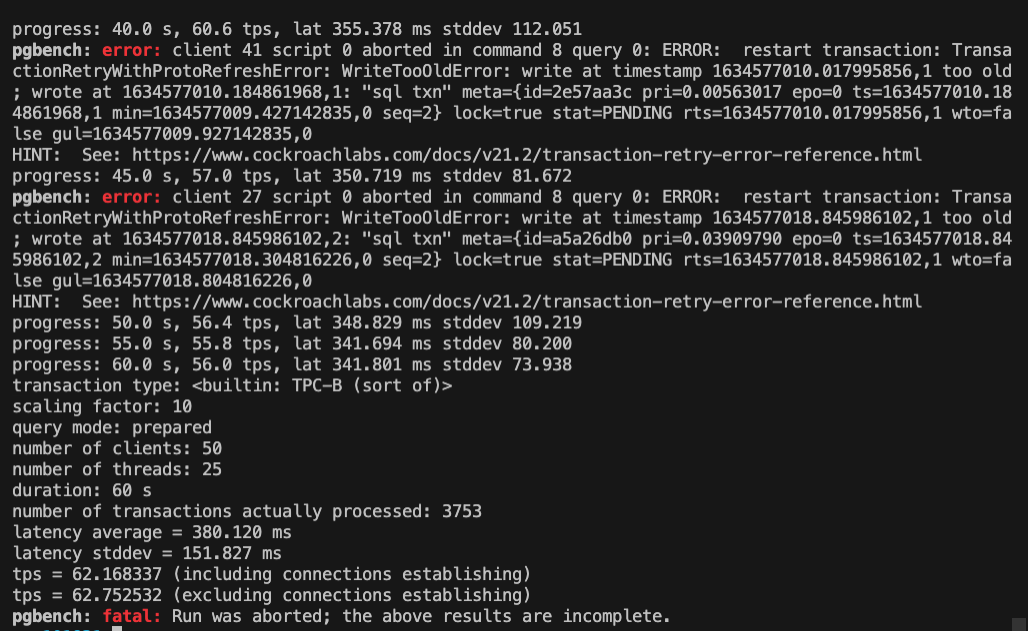
I was looking at pgbench documentation and noticed that it supports PG environment variables that are supported by libpq. One of those variables is PG_COLOR environment variable. It specifies whether to use color in diagnostic messages. Possible values are always, auto and never.
export PG_COLOR=always
pgbench: error: client 8 script 0 aborted in command 8 query 0: ERROR:  restart transaction: TransactionRetryWithProtoRefreshError: WriteTooOldError: write at timestamp 1634576798.801614386,1 too old; wrote at 1634576798.979467838,1: "sql txn" meta={id=9fa50081 pri=0.00831741 epo=0 ts=1634576798.979467838,1 min=1634576798.407607114,0 seq=2} lock=true stat=PENDING rts=1634576798.801614386,1 wto=false gul=1634576798.907607114,0
HINT:  See: https://www.cockroachlabs.com/docs/v21.2/transaction-retry-error-reference.html
progress: 50.0 s, 49.6 tps, lat 349.169 ms stddev 80.635
progress: 55.0 s, 49.0 tps, lat 347.578 ms stddev 74.712
progress: 60.0 s, 49.2 tps, lat 344.060 ms stddev 90.402
transaction type: <builtin: TPC-B (sort of)>
scaling factor: 10
query mode: prepared
number of clients: 50
number of threads: 25
duration: 60 s
number of transactions actually processed: 3370
latency average = 386.488 ms
latency stddev = 168.696 ms
tps = 55.791375 (including connections establishing)
tps = 56.320484 (excluding connections establishing)
pgbench: fatal: Run was aborted; the above results are incomplete.
Now all of the errors are color-coded in red.
Topic 4 Capture network latencies programmatically
We have a very intuitive network latency page in the DB Console

In organizations with strict separation of duties policies, it may be incovenient to get access to the DB Console and access to this information is not feasible. There's a way to capture the inter-node network latencies via SQL API.
SELECT
        n.node_id,
        n.node_locality,
        n.other_id::INT8,
        gn.locality AS other_node_locality,
        (n.activity->other_id->>'latency')::FLOAT8 / 1e6
                AS interval_ms
FROM
        (
                SELECT
                        ns.node_id,
                        json_object_keys(ns.activity) AS other_id,
                        ns.activity,
                        gn.locality AS node_locality
                FROM
                        crdb_internal.kv_node_status AS ns
                        INNER JOIN crdb_internal.gossip_nodes AS gn ON
                                        ns.node_id = gn.node_id
        )
                AS n
        INNER JOIN crdb_internal.gossip_nodes AS gn ON
                        n.other_id::INT8 = gn.node_id
WHERE
        n.node_id != n.other_id::INT8;
 node_id |      node_locality       | other_id |   other_node_locality    | interval_ms
----------+--------------------------+----------+--------------------------+--------------
       1 | region=us-east1,az=b     |        2 | region=us-east1,az=c     |    3.796384
       1 | region=us-east1,az=b     |        3 | region=us-east1,az=d     |    2.322269
       1 | region=us-east1,az=b     |        4 | region=us-west1,az=a     |    3.647745
       1 | region=us-east1,az=b     |        5 | region=us-west1,az=b     |    3.724913
       1 | region=us-east1,az=b     |        6 | region=us-west1,az=c     |    3.674473
       1 | region=us-east1,az=b     |        7 | region=europe-west1,az=b |    2.282505
       1 | region=us-east1,az=b     |        8 | region=europe-west1,az=c |    3.858606
       1 | region=us-east1,az=b     |        9 | region=europe-west1,az=d |    3.594491
       2 | region=us-east1,az=c     |        1 | region=us-east1,az=b     |    2.573592
       2 | region=us-east1,az=c     |        3 | region=us-east1,az=d     |    2.128504
       2 | region=us-east1,az=c     |        4 | region=us-west1,az=a     |    2.388092
       2 | region=us-east1,az=c     |        5 | region=us-west1,az=b     |    2.339215
       2 | region=us-east1,az=c     |        6 | region=us-west1,az=c     |    3.664166
       2 | region=us-east1,az=c     |        7 | region=europe-west1,az=b |    1.162607
       2 | region=us-east1,az=c     |        8 | region=europe-west1,az=c |    8.505142
       2 | region=us-east1,az=c     |        9 | region=europe-west1,az=d |    2.386066
       3 | region=us-east1,az=d     |        1 | region=us-east1,az=b     |     2.31141
       3 | region=us-east1,az=d     |        2 | region=us-east1,az=c     |    1.962248
       3 | region=us-east1,az=d     |        4 | region=us-west1,az=a     |    2.320992
       3 | region=us-east1,az=d     |        5 | region=us-west1,az=b     |    3.474832
       3 | region=us-east1,az=d     |        6 | region=us-west1,az=c     |    2.309579
       3 | region=us-east1,az=d     |        7 | region=europe-west1,az=b |    2.496604
       3 | region=us-east1,az=d     |        8 | region=europe-west1,az=c |    3.399668
       3 | region=us-east1,az=d     |        9 | region=europe-west1,az=d |    2.300885
       4 | region=us-west1,az=a     |        1 | region=us-east1,az=b     |    2.370913
       4 | region=us-west1,az=a     |        2 | region=us-east1,az=c     |    0.869511
       4 | region=us-west1,az=a     |        3 | region=us-east1,az=d     |    2.301179
       4 | region=us-west1,az=a     |        5 | region=us-west1,az=b     |    2.049768
       4 | region=us-west1,az=a     |        6 | region=us-west1,az=c     |    1.008428
       4 | region=us-west1,az=a     |        7 | region=europe-west1,az=b |    2.134758
       4 | region=us-west1,az=a     |        8 | region=europe-west1,az=c |    2.187803
       4 | region=us-west1,az=a     |        9 | region=europe-west1,az=d |    2.545908
       5 | region=us-west1,az=b     |        1 | region=us-east1,az=b     |    2.632922
       5 | region=us-west1,az=b     |        2 | region=us-east1,az=c     |    2.060806
       5 | region=us-west1,az=b     |        3 | region=us-east1,az=d     |    2.067269
       5 | region=us-west1,az=b     |        4 | region=us-west1,az=a     |    2.200043
       5 | region=us-west1,az=b     |        6 | region=us-west1,az=c     |    2.250891
       5 | region=us-west1,az=b     |        7 | region=europe-west1,az=b |    2.153789
       5 | region=us-west1,az=b     |        8 | region=europe-west1,az=c |     0.96799
       5 | region=us-west1,az=b     |        9 | region=europe-west1,az=d |    3.650668
       6 | region=us-west1,az=c     |        1 | region=us-east1,az=b     |    2.547169
       6 | region=us-west1,az=c     |        2 | region=us-east1,az=c     |    2.469277
       6 | region=us-west1,az=c     |        3 | region=us-east1,az=d     |    1.815645
       6 | region=us-west1,az=c     |        4 | region=us-west1,az=a     |     2.67788
       6 | region=us-west1,az=c     |        5 | region=us-west1,az=b     |    2.136114
       6 | region=us-west1,az=c     |        7 | region=europe-west1,az=b |    2.516816
       6 | region=us-west1,az=c     |        8 | region=europe-west1,az=c |     2.42471
       6 | region=us-west1,az=c     |        9 | region=europe-west1,az=d |    3.794529
       7 | region=europe-west1,az=b |        1 | region=us-east1,az=b     |    2.003425
       7 | region=europe-west1,az=b |        2 | region=us-east1,az=c     |    3.633643
       7 | region=europe-west1,az=b |        3 | region=us-east1,az=d     |      2.4332
       7 | region=europe-west1,az=b |        4 | region=us-west1,az=a     |     0.91411
       7 | region=europe-west1,az=b |        5 | region=us-west1,az=b     |    2.400091
       7 | region=europe-west1,az=b |        6 | region=us-west1,az=c     |    2.243154
       7 | region=europe-west1,az=b |        8 | region=europe-west1,az=c |    3.036872
       7 | region=europe-west1,az=b |        9 | region=europe-west1,az=d |    2.851338
       8 | region=europe-west1,az=c |        1 | region=us-east1,az=b     |    2.538451
       8 | region=europe-west1,az=c |        2 | region=us-east1,az=c     |    1.571506
       8 | region=europe-west1,az=c |        3 | region=us-east1,az=d     |    2.101667
       8 | region=europe-west1,az=c |        4 | region=us-west1,az=a     |    3.067042
       8 | region=europe-west1,az=c |        5 | region=us-west1,az=b     |     3.60653
       8 | region=europe-west1,az=c |        6 | region=us-west1,az=c     |    2.420592
       8 | region=europe-west1,az=c |        7 | region=europe-west1,az=b |    2.266515
       8 | region=europe-west1,az=c |        9 | region=europe-west1,az=d |    2.123033
       9 | region=europe-west1,az=d |        1 | region=us-east1,az=b     |    2.556142
       9 | region=europe-west1,az=d |        2 | region=us-east1,az=c     |    1.176371
       9 | region=europe-west1,az=d |        3 | region=us-east1,az=d     |    1.724287
       9 | region=europe-west1,az=d |        4 | region=us-west1,az=a     |    2.307133
       9 | region=europe-west1,az=d |        5 | region=us-west1,az=b     |    1.923736
       9 | region=europe-west1,az=d |        6 | region=us-west1,az=c     |    0.815149
       9 | region=europe-west1,az=d |        7 | region=europe-west1,az=b |    2.244066
       9 | region=europe-west1,az=d |        8 | region=europe-west1,az=c |    2.524616
Needless to say this you need admin permissions to access this information
ERROR: only users with the admin role are allowed to read crdb_internal.kv_node_status
SQLSTATE: 42501
Topic 5 Format queries with built-in formatter
Full disclosure, this is not a new trick I just picked up. I've known about sqlfmt for a while but I just needed it to format the query in the previous topic and it was the quickest option available.
cockroach sqlfmt -e "SELECT N.node_id, N.node_locality, N.other_id::INT8, GN.locality AS other_node_locality, (((N.activity->other_id->>'latency')::FLOAT8) / 1e6) AS interval_ms
FROM (
  SELECT NS.node_id, json_object_keys(NS.activity) AS other_id, NS.activity, GN.locality AS node_locality
  FROM crdb_internal.kv_node_status NS
  INNER JOIN crdb_internal.gossip_nodes GN ON NS.node_id = GN.node_id
) N
INNER JOIN crdb_internal.gossip_nodes GN ON N.other_id::INT8 = GN.node_id
WHERE N.node_id != N.other_id::INT8;"
SELECT
        n.node_id,
        n.node_locality,
        n.other_id::INT8,
        gn.locality AS other_node_locality,
        (n.activity->other_id->>'latency')::FLOAT8 / 1e6
                AS interval_ms
FROM
        (
                SELECT
                        ns.node_id,
                        json_object_keys(ns.activity) AS other_id,
                        ns.activity,
                        gn.locality AS node_locality
                FROM
                        crdb_internal.kv_node_status AS ns
                        INNER JOIN crdb_internal.gossip_nodes AS gn ON
                                        ns.node_id = gn.node_id
        )
                AS n
        INNER JOIN crdb_internal.gossip_nodes AS gn ON
                        n.other_id::INT8 = gn.node_id
WHERE
        n.node_id != n.other_id::INT8
You can pass a query with -e flag, reformat a file passing it to the function and use the formatter interactively.
Comments